Creating Animated GIFs
A GIF (Graphics Interchange Format) is a short, looping animation made from multiple images (frames) played quickly. They are silent and repeat automatically.
GIFs are commonly used for:
- Animated logos
- Social media content
- Email signatures
Introduction to GIFs
Do you use GIFS? Where and why? Let’s share some of our favourite GIFs on the first few pages of this Padlet. We’d like you to download and save some of your favourites and write a short comment about where/why you use them.
| Resource | Link |
|---|---|
| Grade 9/10 Padlet | Comm Tech 9/10 |
| Grade 11/12 Padlet | Comm Tech 11/12 |
| Explore GIFs | Tenor.com |
Creating basic gifs in Canva
First, we’ll learn how to create and export a basic GIF using Canva. We will add a custom background and graphics that are already animated. We’ll also find the Layers tab in Canva to be able to rearrange the order of the elements in our GIF.
Learn how to create a basic GIF with a custom colour background and pre-animated graphics in this tutorial I created:
Animating logos as a gif
Now we will create GIFs by adding custom animations. We’re going to work with the logo we created in a previous lesson. The logo must NOT be merged for this activity. We need to animate elements and text separately.
Instructions:
Login to Canva.
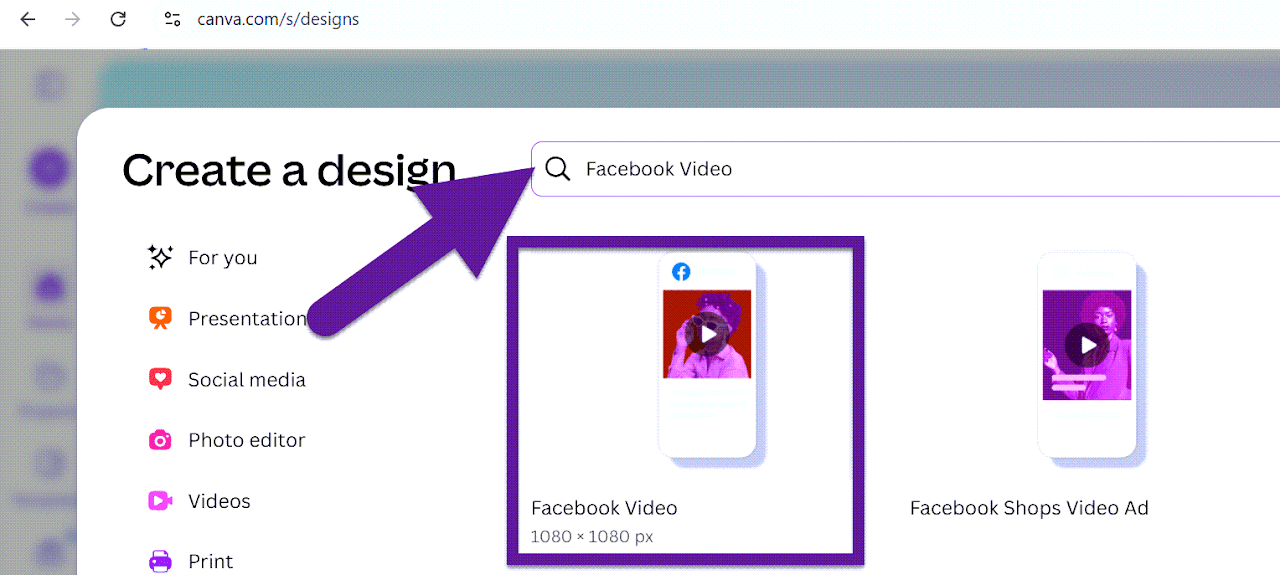
Click on the + icon (Create). Type in Facebook Video.
Select the Facebook Video 1080 x 1080 px option. This will open up the Canva video editor that will give us more options for customizing our animations.
How to Animate Your Designs
- Click on an element
- Select “Animate”
- Choose an animation style and adjust the settings
- Keep animations short and smooth; avoid long delays
Select multiple elements of your logo to animate and experiment with the timing and sequence of the animations.
You can also adjust the “Duration” of the design to make a longer or shorter GIF.
Keep animations short and smooth and avoid long delays.

Download as GIF
Click Share → Download. Select GIF as the file type and press Download.
Creating an email signature gif
Finally, we will create an animated email signature as a GIF using Canva. You must use text and at least one additional design element. The GIF must loop automatically and continuously. The design should be subtle and professional.

Make sure you download files that end with .GIF 🙂
Leave a Reply