Today, we will learn the difference between color correction and color grading and practice these video editing techniques in Adobe Premiere Pro.
Learning Goals
- Understand the difference between color correction and color grading
- Recognize how color affects mood and storytelling
- Apply both techniques in Adobe Premiere Pro
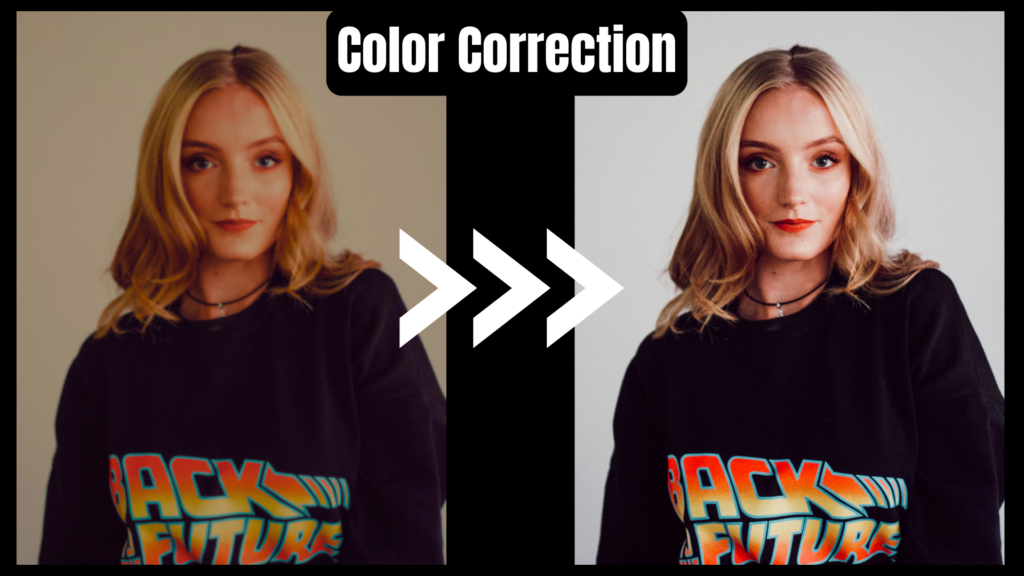
Correction vs. Grading
Many beginners use these terms interchangeably, but in a professional workflow, they are distinct phases of the post-production process.
| Color Correction | Color Grading |
|---|---|
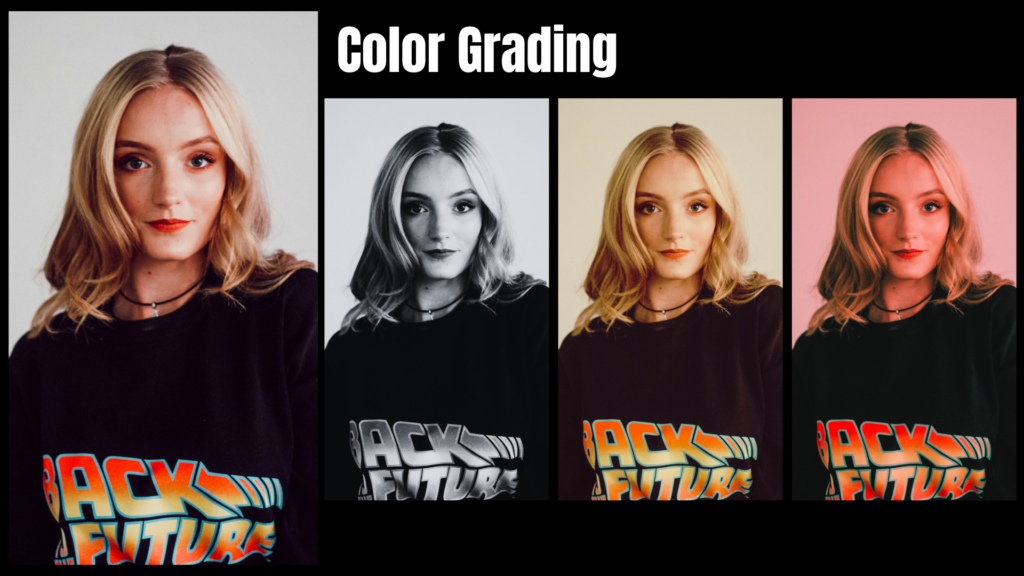
| The Science: Fixing technical errors like improper exposure or incorrect white balance. | The Art: Creating a stylistic “look” or atmosphere. |
| Makes footage look natural and consistent across different shots. | Manipulates colors to evoke specific emotions (e.g., the “Matrix Green”). |
Professional Workflow
Basic Correction
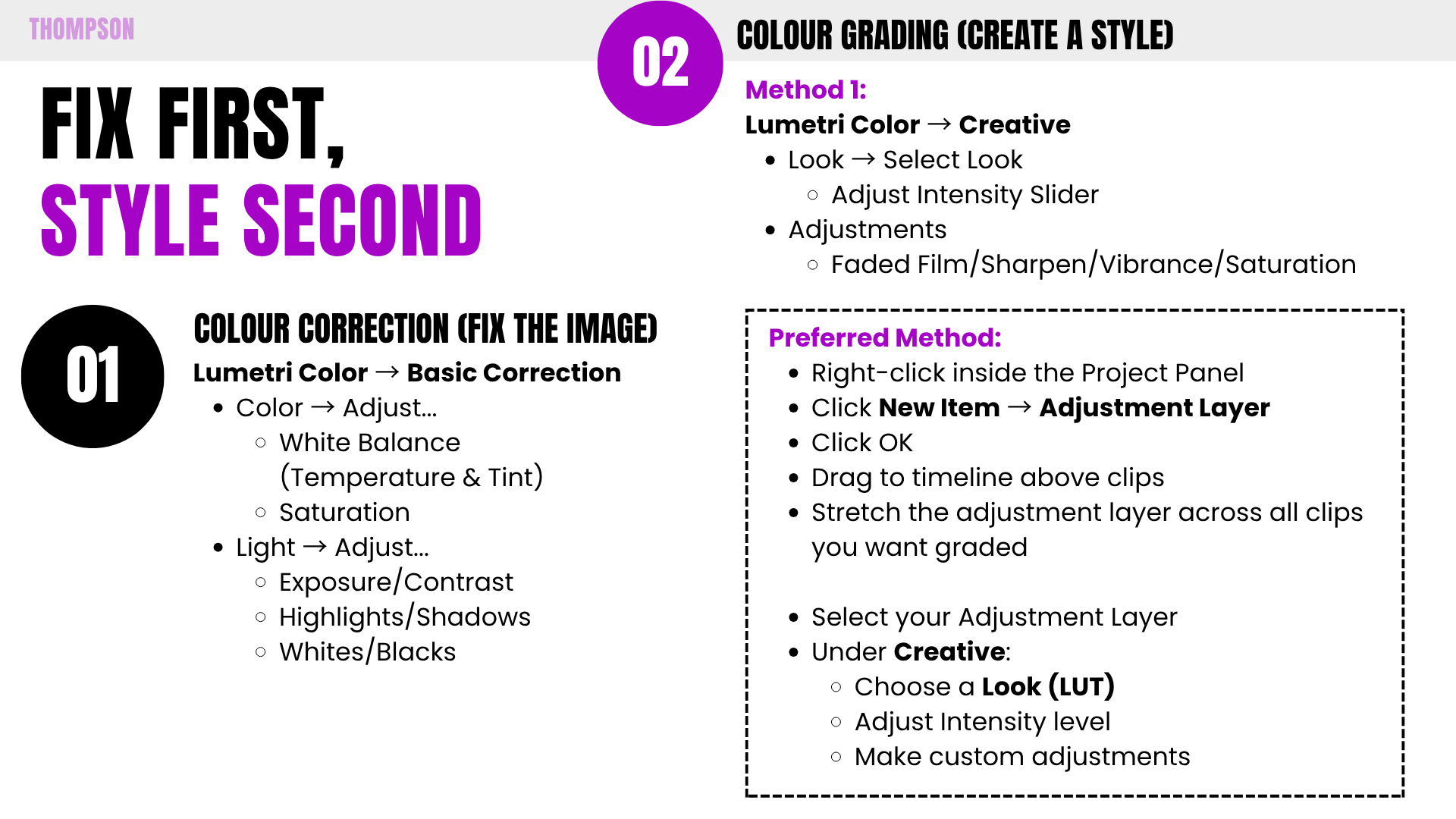
Always start here. Use the Basic Correction tab in the Lumetri Color panel to neutralize your image. Fix your “Whites” and “Blacks” to ensure you have a full dynamic range before adding style.
Creative Grading
Once corrected, apply your stylistic look. There are two main methods to choose from:
Method 1: Direct Clip Application
Apply LUTs or grade directly onto the footage clip. Simple, but difficult to manage across many shots.
Preferred
Create an Adjustment Layer and place it on the track above your footage. This allows you to apply a consistent grade across your entire sequence instantly and toggle it on or off to check your progress.
Premiere Pro Guide:
Leave a Reply